A native Markdown workspace
Write Markdown.
Preview as you go.
Edit Markdown in a native app. See the rendered document beside your text, including diagrams and equations.
Linux · macOS · Windows
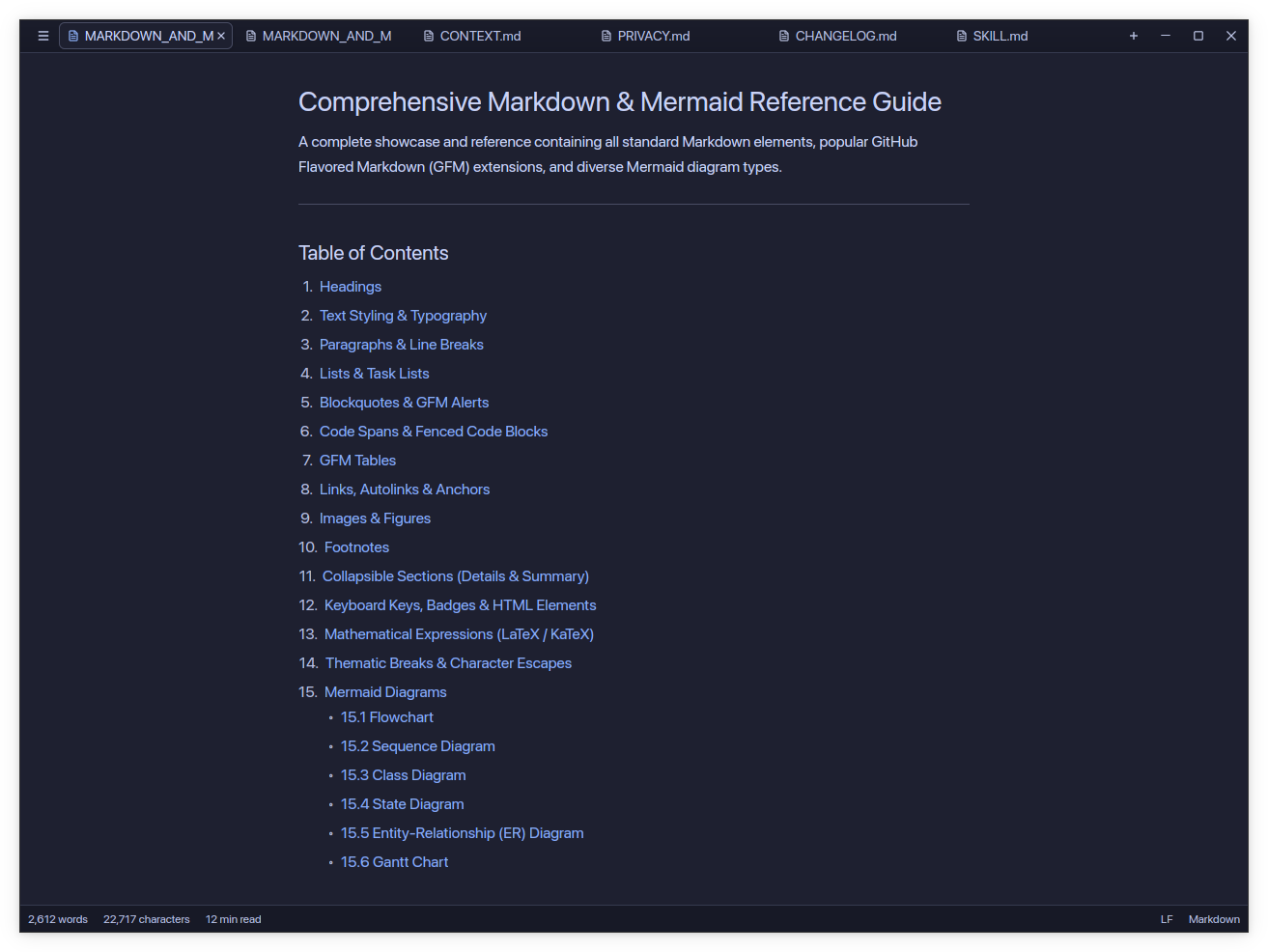
Preview technical documents as you edit.
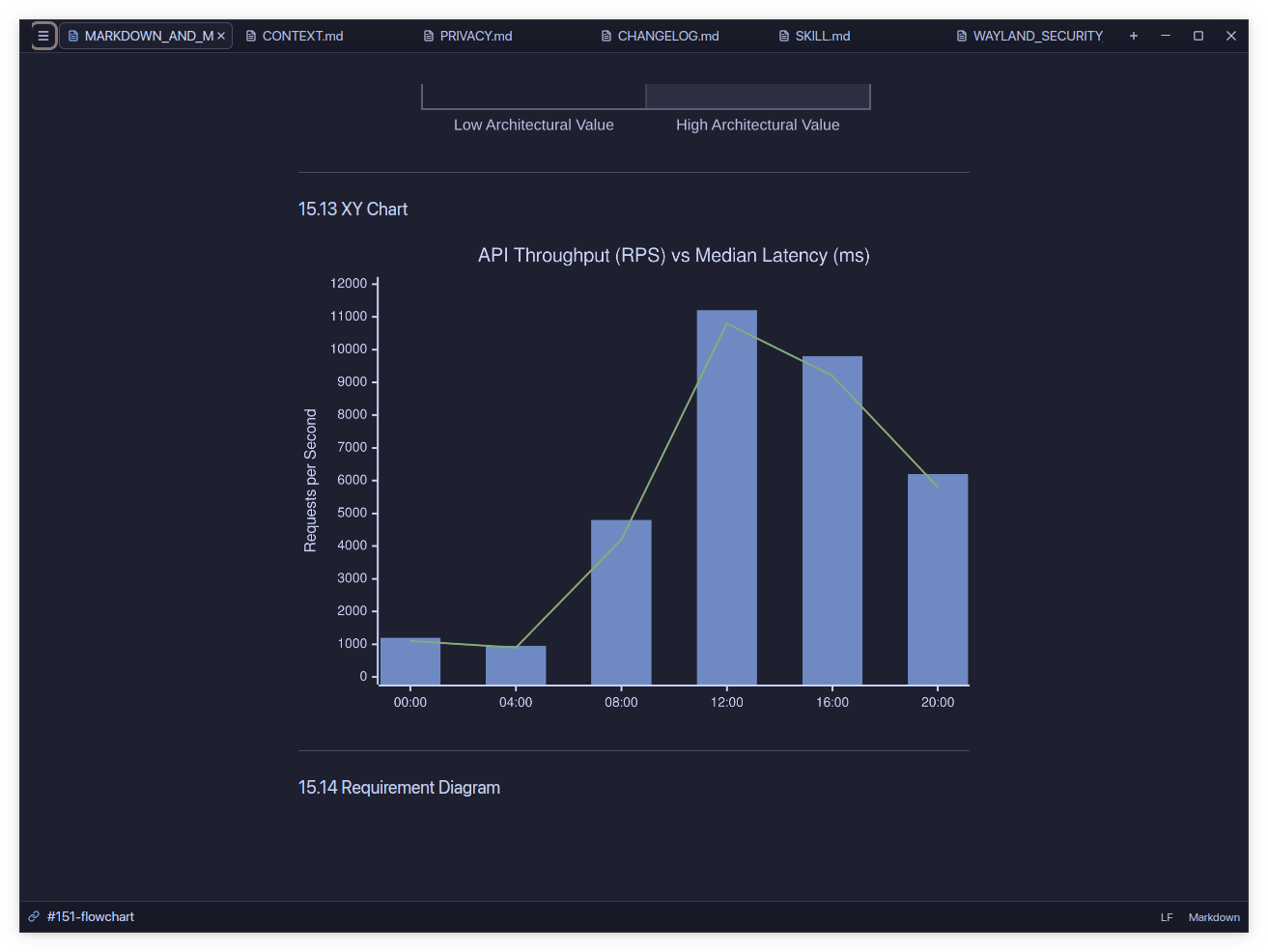
Render Mermaid diagrams, Typst equations, and charts beside your Markdown. Expand wide tables to read them at full width.
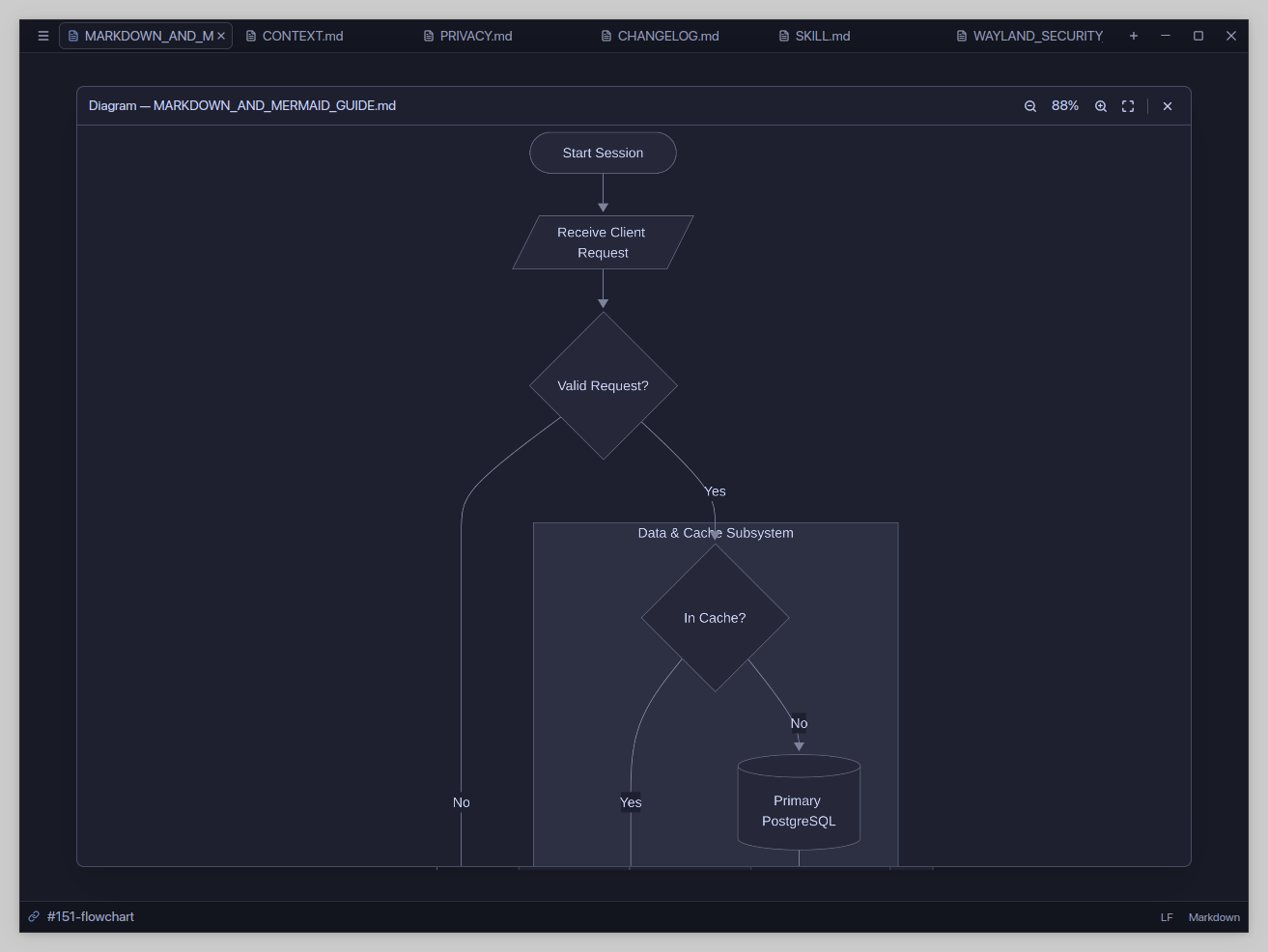
Inspect Mermaid diagrams at any size.
Render diagrams in your document, then open the viewer to zoom and inspect them.
Flowcharts, sequences, and class diagrams
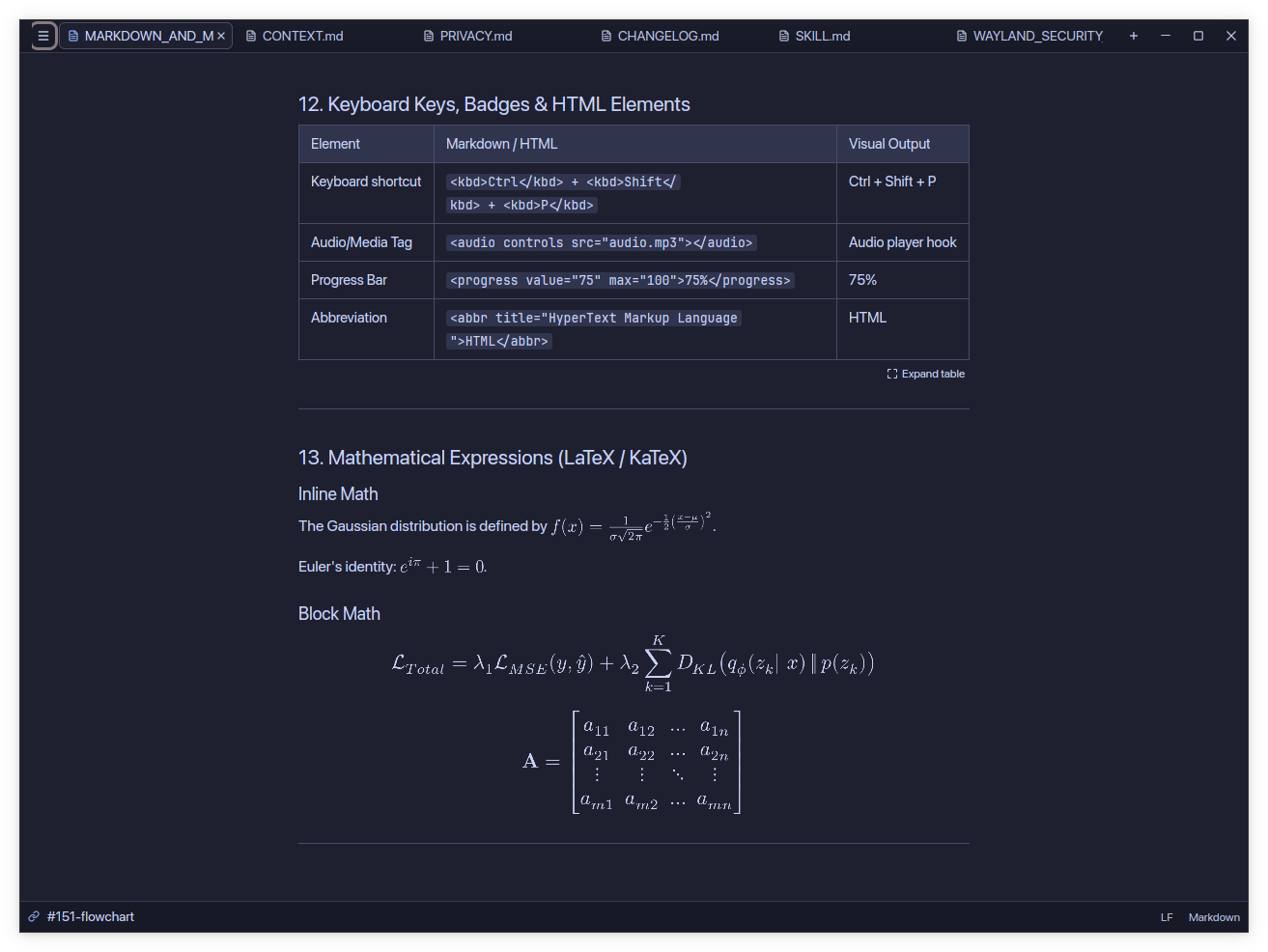
Read equations and wide tables.
Downmark renders Typst equations and lets you expand wide tables to full width. Copy a table as Markdown to edit its source.
Typst math, table overlay, and copy as Markdown
Keep the editor and preview in sync.
Choose editor, preview, or split view. Two-way scrolling keeps the matching text in view as you move through either pane.
Split view, two-way scrolling, and glance mode
Editing tools
Syntax highlighting for 28 languages
GitHub alert callouts and code copy buttons
Multiple documents in a single tab strip
Light and dark themes
Get Downmark
for desktop.
Native builds for Linux, macOS, and Windows.